

Other Income & Expenditure: Tracking Non-Bill Revenue and Costs
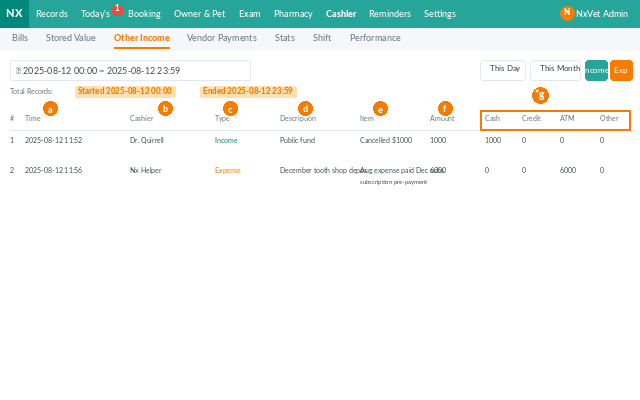
Not every dollar in and out of the clinic comes from a patient bill. Other Income & Expenditure is where you record the rest — merchandise sales, refunds for cancelled procedures, equipment rentals, training reimbursements, and operating costs that aren’t paid through the standard vendor flow.
How to access
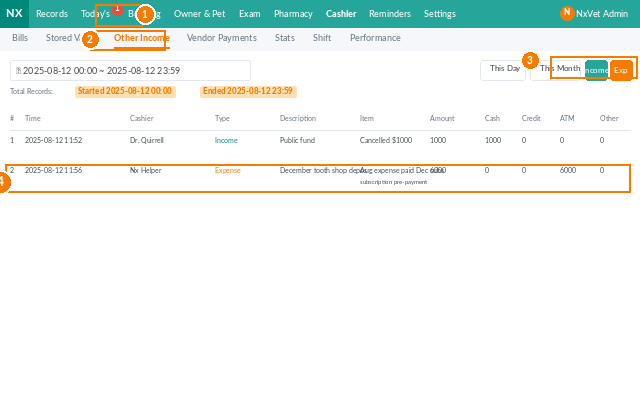
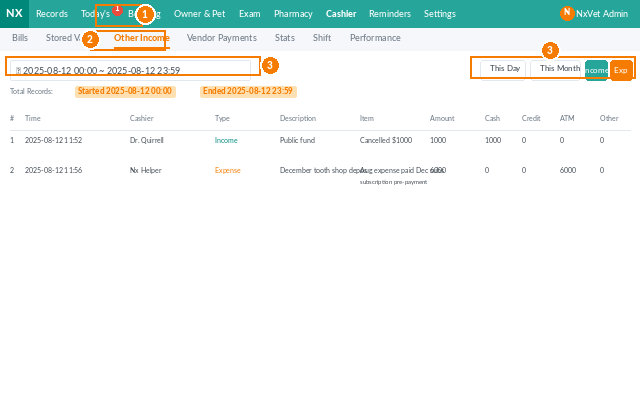
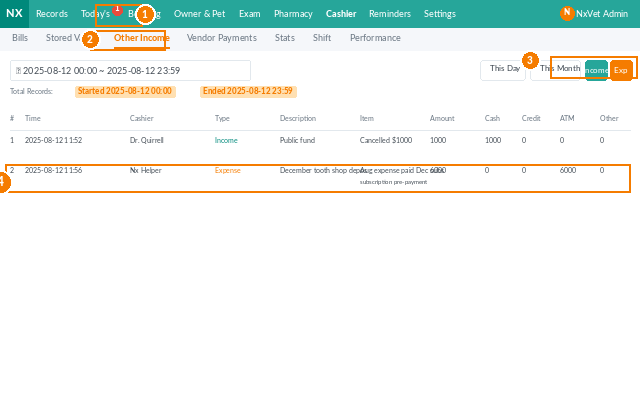
- From the main menu, click Cashier.
- Click the Other Income & Expenditure tab.
- Filter by time period, category, or payee/payer to find specific entries.
Recording other income
- Click + Add Income.
- Pick the Category (merchandise, refund, rental, etc.).
- Fill in:
- Amount.
- Payment method.
- Recipient (staff collecting).
- Payer (owner, vendor, or external party).
- Date — defaults to today.
- Remarks — receipt number, invoice number, etc.
- Click Confirm.
Recording other expenditure
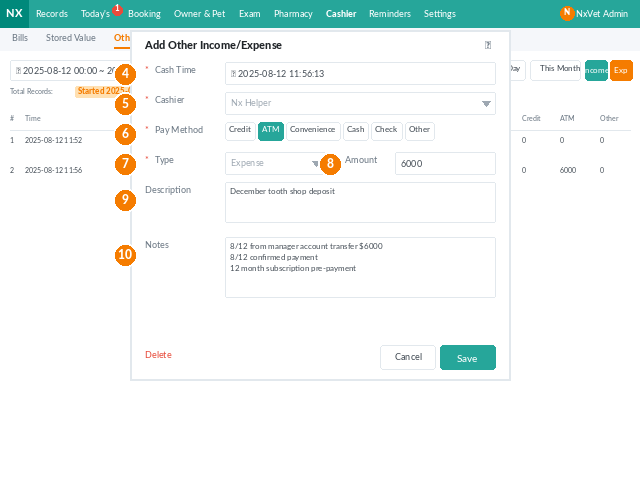
- Click + Add Expenditure.
- Pick the Category (utilities, repairs, supplies, training, etc.).
- Fill in amount, payment method, payee, payer (the staff/clinic disbursing), date, and remarks.
- Click Confirm.
Editing or deleting entries
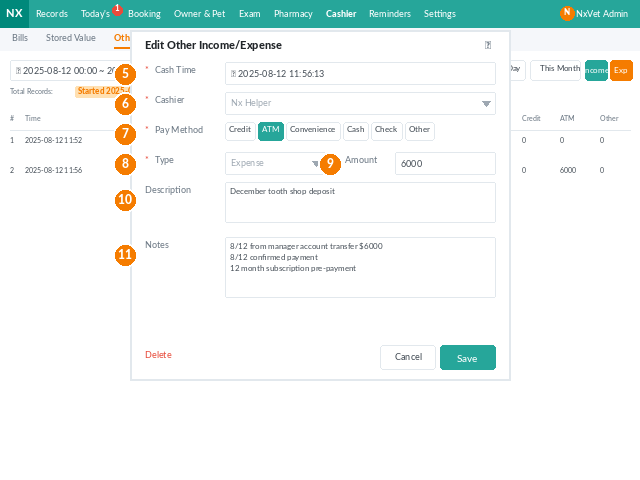
- Click any row to open it for editing. All fields are editable.
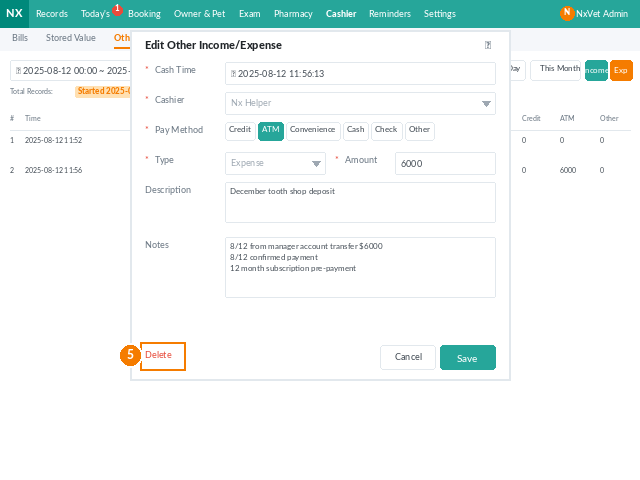
- Click Delete to remove. Deletion is permanent — consider editing instead.
Tip
Set up consistent categories in Settings before reception starts using this tab. Without standardized categories, month-end reporting becomes guesswork. A good baseline: Merchandise, Refunds, Utilities, Repairs & Maintenance, Supplies, Training, and Miscellaneous.