

Performance Allocation: Splitting Revenue Among Staff
Performance Allocation is how the clinic distributes revenue from each bill among the staff who contributed — attending vet, technician, surgeon, dispensing pharmacist, and so on. Configure split rules once, and every settled bill is allocated automatically for payroll and commission reporting.
How to access
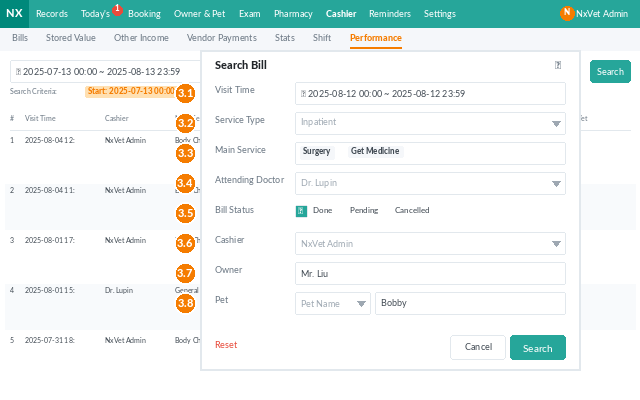
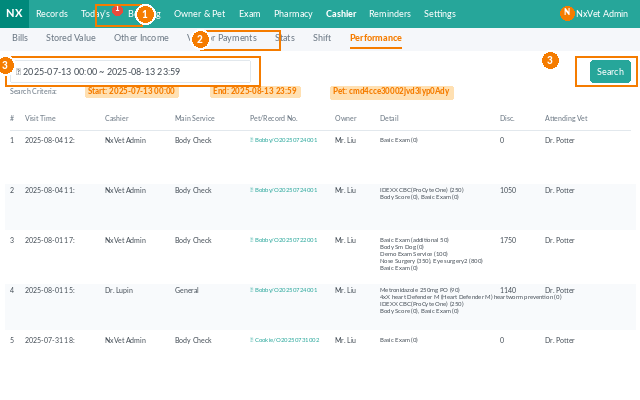
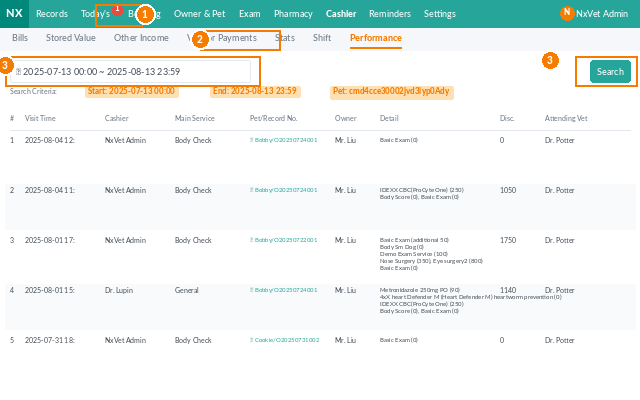
- From the main menu, click Cashier.
- Click the Performance Allocation tab.
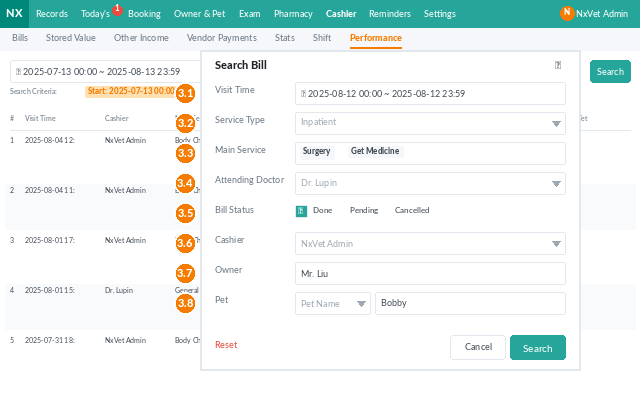
- Filter by time period, staff member, service category, or branch.
What you’ll see
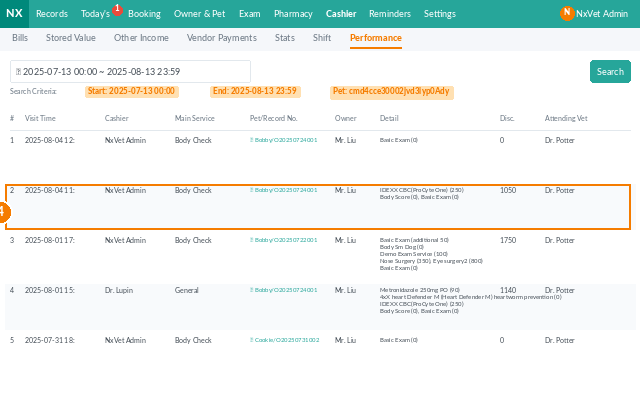
Each row is one allocation entry derived from a settled bill, with:
- Bill date and bill amount (after discounts).
- Service category — consultation, surgery, dispensing, hospitalization, etc.
- Allocated staff — one or more people, each with a percentage.
- Individual share — the dollar amount credited to each person.
Configuring allocation rules
Rules are defined in Settings > Performance Rules and look like this:
- For each Service category (e.g., dental cleaning, vaccination, surgery), set a default split:
- Attending vet — 40%.
- Technician — 20%.
- Clinic pool — 40%.
- Override per-staff splits if a senior surgeon earns a different percentage on specific procedures.
- Tag products with their own commission rules — e.g., merchandise sales earn the dispensing staff 10%.
Once configured, every newly settled bill is allocated automatically. Historical bills can be re-allocated in bulk if a rule changes.
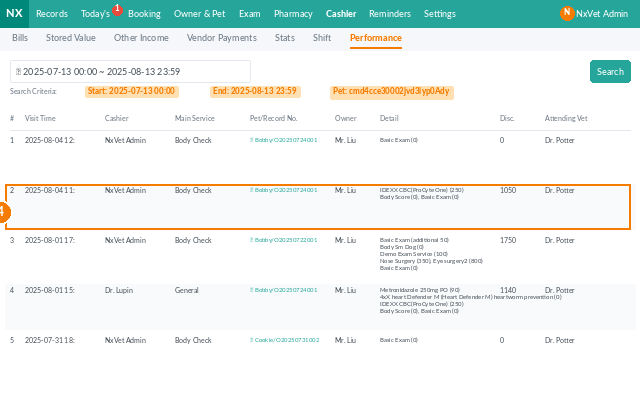
Manual override on a single bill
- Click the allocation row.
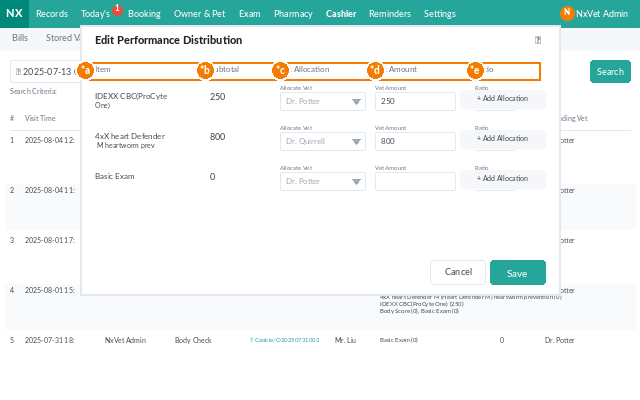
- Edit the staff list, percentages, or absolute amounts.
- Add a Reason — required for audit when the override deviates from the rule.
- Click Confirm.
Exporting for payroll
- Use the filter to set the payroll cycle (e.g., last month).
- Click Export.
- Choose CSV or PDF. The export groups by staff with totals ready to hand off to accounting.
Tip
Review the allocation rules once a year. Service mix shifts — the percentage that made sense when surgery was 30% of revenue may need adjusting when it grows to 50%. Manual overrides should stay rare; if you’re overriding the same case repeatedly, that’s a signal the rule itself needs updating.